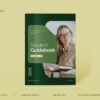
A business presentation has one job: help people understand the numbers and agree on what happens next. The right template saves hours of formatting and keeps your story clear. In this collection, we’ve picked six modern business presentation templates from the TMint Canva library, covering business reports, social media reports, a revenue model deck and a matching pair of corporate company decks. All use the 16:9 (1920 × 1080 px) format.

Quick links
- Navy and Lime Bold Business Report
- Orange Purple and White Modern Social Media Report
- Blue Yellow and Pink Playful Social Media Report
- Blue and White Modern Biotech Revenue Streams
- Red Black and White Modern Shipping Company Profile
- Red Black and White Corporate Shipping Business Outlook
1. Navy and Lime Bold Business Report

- Why we like it: Navy paired with a bright lime accent makes key numbers pop, and the bold layout keeps each slide focused on one message.
- Best for: Quarterly reports, board updates and team reviews.
- Plan: Free on Canva
Customize Navy and Lime Bold Business Report in Canva
2. Orange Purple and White Modern Social Media Report

- Why we like it: A modern palette and clear sections for reach, engagement and growth make monthly social reporting easy to read.
- Best for: Social media managers, agencies and marketing teams.
- Plan: Free on Canva
Customize Orange Purple and White Modern Social Media Report in Canva
3. Blue Yellow and Pink Playful Social Media Report

- Why we like it: A playful, colorful take on reporting that suits creative brands and makes data feel friendly.
- Best for: Creators, small brands and agency client updates.
- Plan: Free on Canva
Customize Blue Yellow and Pink Playful Social Media Report in Canva
4. Blue and White Modern Biotech Revenue Streams

- Why we like it: Clean blue and white feel scientific and trustworthy, with a structure built around explaining how a business makes money.
- Best for: Biotech, health-tech and startup pitch or strategy decks.
- Plan: Free on Canva
Customize Blue and White Modern Biotech Revenue Streams in Canva
5. Red Black and White Modern Shipping Company Profile

- Why we like it: A strong corporate look in red, black and white for presenting your company story, services and fleet.
- Best for: Logistics, shipping and freight companies.
- Plan: Canva Pro
Customize Red Black and White Modern Shipping Company Profile in Canva
6. Red Black and White Corporate Shipping Business Outlook

- Why we like it: A matching outlook deck for forecasts, market trends and plans, so profile and strategy presentations look like one set.
- Best for: Annual outlooks, investor updates and strategy sessions.
- Plan: Canva Pro
Customize Red Black and White Corporate Shipping Business Outlook in Canva
How to choose the right business deck
- Reporting performance? Use the navy-and-lime business report or one of the social media reports.
- Explaining a business model? The biotech revenue streams deck is structured for exactly that, and works for any industry.
- Introducing your company? The shipping company profile and outlook pair gives you a consistent corporate look.
- Match your audience. Playful colors suit creative teams; navy, black and red feel more corporate.
How to customize these templates in Canva
- Open a template and click Customize free template or Use this template (Pro).
- Update the cover with your company name and reporting period.
- Add charts from Elements → Charts and paste in your data, or link a Google Sheet.
- Replace photos and icons with your own products, team and locations.
- Apply your Brand Kit, then present from Canva or download as PDF or PowerPoint.
FAQ
Are these business presentation templates free?
Four are free on Canva. The two shipping decks (company profile and business outlook) are Canva Pro templates.
Can I export to PowerPoint or Google Slides?
Canva downloads presentations as .pptx files, which you can open in PowerPoint or import into Google Slides. Check fonts after exporting.
Can I change the industry?
Yes. Replace the images and text and these layouts work for any company or sector.
Present with confidence
Pick the deck that fits your goal, add your data and focus on the story. Explore more business decks on our Canva Creator profile or browse editable presentation templates in the TMint store.